LOUISIANA FOLK, FUNK, & BLUES
LOUISIANA FOLK, FUNK, & BLUES
"LOOP" Settings for Each Track *Set to Play in "SINGLE MODE"
*** Click-on the 1st Photo and then Follow the Order of Photos 1 - 6. ***
*** IMPORTANT!!! Repeat These Steps for Each Track ***
Example:
In Photo 2, Turn Knob to "TRK 2" and Continue.
(and so-on through TRK 6)
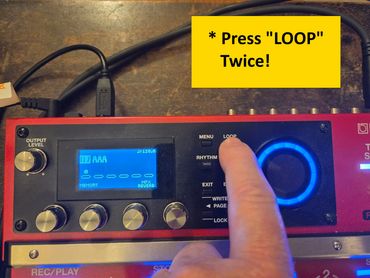
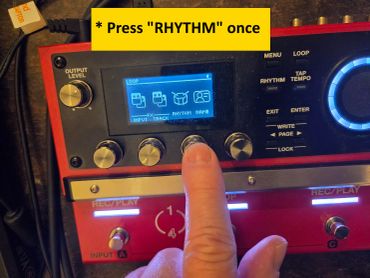
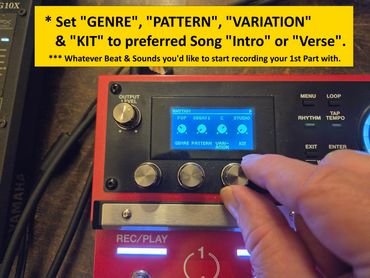
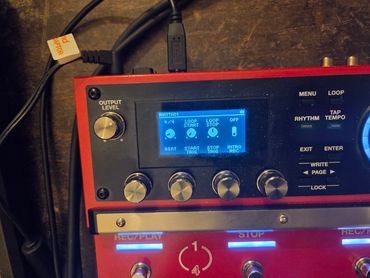
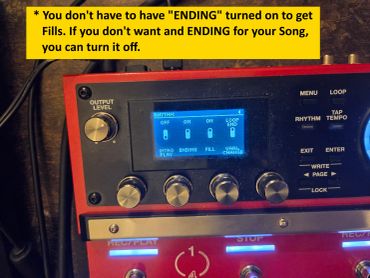
Initial "RHYTHM" Settings
*** Click-on the 1st Photo and then Follow the Order of Photos 1 - 5. ***
*** This only needs to be set ONCE for each song ***
Basically, this is just setting up your Drum Sound for this particular song.
"CONTROL FUNCTION" Settings for Each Track
*** Click-on the 1st Photo and then Follow the Order of Photos 1 - 5. ***
*** IMPORTANT!!! Repeat These Steps for Each of the Bottom 6 Pedals on the Unit! ***
Examples:
"PEDAL 1" is Set to "TRK 1 REC/PLAY4" (Photo 5)
"PEDAL 2" is Set to "TRK 2 REC/PLAY4" (Photo 6)
Etc.
%20PNG.png/:/rs=w:370,cg:true,m)
%20PNG.png/:/rs=w:370,cg:true,m)
%20PNG.png/:/rs=w:370,cg:true,m)
%20PNG.png/:/rs=w:370,cg:true,m)
.jpg/:/cr=t:0%25,l:0%25,w:100%25,h:100%25/rs=w:370,cg:true)
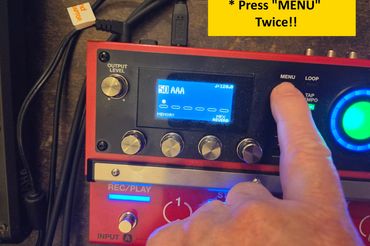
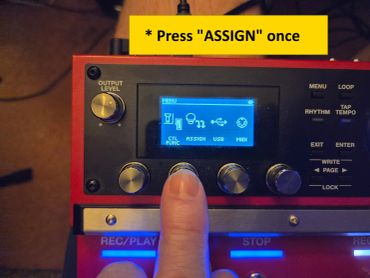
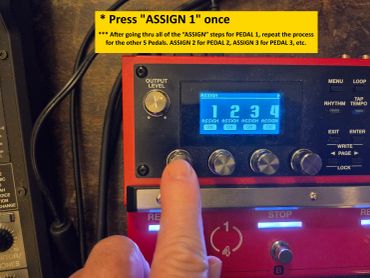
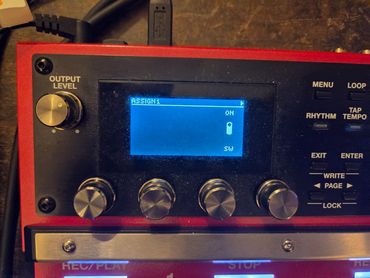
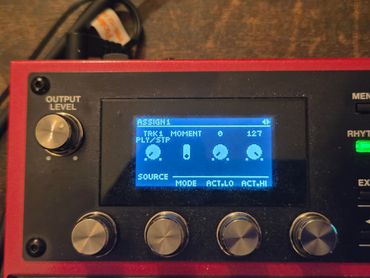
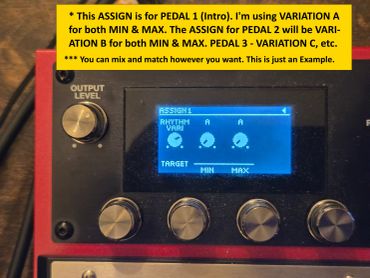
"ASSIGN" Function" Settings for Each Track
*** Click-on the 1st Photo and then Follow the Order of Photos 1 - 6. ***
*** IMPORTANT!!! Repeat These Steps for Each of the Bottom 6 Pedals on the Unit! ***
Examples:
ASSIGN 1 - "SOURCE" set to "TRK1 PLY/STP"
"TARGET" set to "RHYTHM VARI" - MIN A / MAX A
ASSIGN 2 - "SOURCE" set to "TRK1 PLY/STP"
"TARGET" set to "RHYTHM VARI" - MIN B / MAX B
Etc.
Copyright © 2026 Jeff Howell - New Orleans Funk & Blues - All Rights Reserved.